
For years, the SEO workflow looked like this: open an SEO tool, export a CSV, paste it into a spreadsheet, review, improve, and repeat multiple times a day. It worked – but it was frustrating every step of the way.
We compared five MCP SEO servers with features, price, setup, and best use cases to help you choose the one that fits your workflow.
What is an MCP Server?
The Model Context Protocol (MCP) terminates busy work. It’s an open standard from Anthropic that allows AI assistants like Claude, ChatGPT, Gemini, Cursor, and others to connect to live data through a basic interface. A very simple shorthand: it’s like USB-C for AI tools. One protocol, many connectors.
For SEO teams, that changes the job in a real way. You can ask Claude, “What are the top 10 pages on competitor.com, and what keywords are they driving?” and get feedback based on live data instead of confident guesses. Keyword gap analysis, quick win keyword research, backlink testing, competitor analysis – all of that is possible within the AI client you already use.
For SEO, this means platforms like Serpstat, Ahrefs, and Semrush can release official MCP servers – so you can get production-grade access without writing integration code. Serpstat MCP is booming fast – user acquisition tripled in a month in its first quarter.
The catch: SEO MCP servers are all over the place. Others stay behind expensive business plans. Others only allow you to read the data, not do anything with it. Others cover keyword research but skip backlinks entirely. So this guide keeps things clear: what each major SEO MCP server does, what it costs, where it falls, and which one fits your workflow.
How is MCP different: MCP vs API
According to Gus Pelogia (Sure) at BrightonSEO April 2026, MCP is actually “APIs in LLMs” – a way to give AI models direct access to the data tools SEOs already use every day.
MCPs enable workflows that are difficult to complete in a single tool UI. For example, an AI assistant can analyze keywords, pull SERP data, and turn the results into a content summary in one quick chain. It supports several major AI clients: Claude, Gemini CLI, ChatGPT, and others.
Basically, the API is the best if a developer wants to build a custom integration, dashboard, or automation pipeline. MCP is best if an SEO professional wants to ask questions in natural language, group tasks together, and get analytics without writing requests manually.
How We Tested These Tools
We tested each SEO MCP server by connecting it to Claude and using a set of SEO tasks in five categories: keyword research, competitive analysis, backlink research, ranking tracking, and technical/on-page analysis. We also checked:
- Feature depth – how many different SEO data points are accessible through MCP
- Pricing — what plan is required to unlock access to MCP, and what is the actual cost
- Setup complexity — local vs. remote, OAuth vs. API key, minutes vs. hours
- AI client compatibility – Claude, ChatGPT, Gemini
- Use case fit – who this tool is really designed for.
Quick Comparison Table
Here is our full list of SEO MCP servers:
Best SEO MCP servers
Below, we compare five SEO MCP servers for their strongest use cases, setup difficulty, and number of different SEO teams.
Serpstat MCP
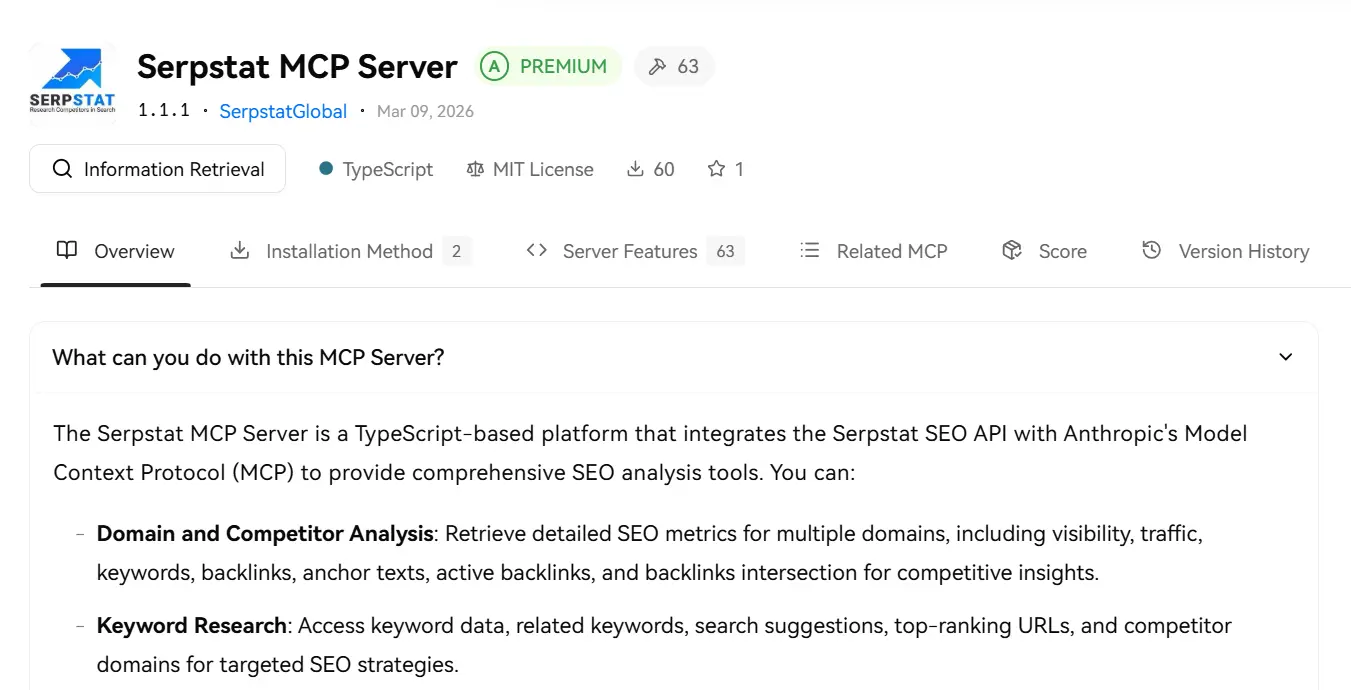
Serpstat’s MCP server offers full-stack SEO coverage, affordable pricing, and AI overview monitoring in a single workflow. It’s especially useful for agencies and in-house teams that need to compare domains, monitor changes over time, and turn SEO data into reports or action plans within an AI assistant.
Features of Serpstat MCP
• Background analysis
• Keyword research
• Backlink analysis
• Site inspection
• Quality tracking
• Monitoring AI Overview
• Competitor analysis
• URL analysis
• Information templates within the UI
• SEO skills
How to connect Serpstat MCP to Claude or ChatGPT
To connect the Serpstat MCP, select the same connector as your AI assistant. For Claude, use the remote or local Claude MCP connector. For ChatGPT, use Serpstat’s official ChatGPT integration or MCP connector workflow.
1.Open the Claude desktop and go to Customize > Connectors
2.Click + and select Add custom connector
4.Click Addand then click Connect.
After setup, name the Serpstat MCP tool directly in your notification. For example: “Use Serpstat’s SEO Tools to analyze this site’s visibility and backlink profile.” This helps the assistant call the correct tool instead of responding with generic information.
The best conditions for the use of Serpstat MCP:
- Keyword grouping — extract keywords that match the pattern, filter by volume ≥10, return to category group
- Serpstat skills with agency reporting – pre-built and automated scenarios
- Stus.ai – Automated AI SEO workflow
Ahrefs MCP
Ahrefs MCP is perfect for teams that already use Ahrefs and want to analyze backlinks, keywords, and competitor data with an AI assistant. It is especially useful for link building, competitor research, and content gap analysis. Its main strength is backlink depth and keyword data, while its main limitation is cost: MCP access requires Ahrefs support and additional bills.
MCP Features of Ahrefs
• 112 tools available with MCP
• Site Explorer data
• Site Survey Details
• Cluster analysis of up to 100 URLs/domains
How to connect to Ahrefs MCP:
Ahrefs provides a remote hosted MCP server (Claude, ChatGPT), so users do not need to use a local server or configure it. Connect with supported authentication flows and verify access to an Ahrefs account with available API units. Start the prompt by naming the tool clearly.
Best Use Cases:
- Finding link gaps, reviewing anchor text patterns, comparing competitor backlink profiles, and identifying keyword opportunities
- Integrating MCPs – use DataForSEO to scrape SERPs, then Ahrefs, Serpstat, or Semrush to add search volume + KD to the results of a single conversation.
Semrush MCP
Semrush MCP is designed for teams that need access to SEO, PPC, competitor, traffic, and market intelligence data within an AI workflow. It is best suited for business teams, large agencies, and marketing departments.
MCP access is limited to high-level users, so it may not be the most practical choice for small groups.
Features of MCP:
- Claude’s MCP (browser and desktop), Claude Code, ChatGPT, Cursor, VS Code, Gemini, Perplexity
- Keyword analysis
- Domain statistics
- Backlink analysis
- Competitive research
- PPC research
- Reporting workflow
How to connect to Semrush MCP:
Semrush MCP access depends on the user’s system and API access availability. It supports OAuth and API key authentication. For Claude, the process is similar to the Serpstat connection.
For teams already using Semrush Business, MCP can add value by connecting existing SEO and market data to AI workflows.
Best Use Cases:
- Where the goal is not just to analyze rankings or backlinks, but to understand how competitors are performing across organic search, paid search, traffic channels, and market segments.
SE MCP position
SE Ranking MCP is a solid choice for SEO freelancers and small agencies. It may not have the same backlink depth as the big business platforms, but it provides users with a comprehensive set of effective tools for everyday SEO work.
Features of MCP:
• Keyword research
• Backlink analysis
• Quality tracking
• Website testing
• AI search visibility
• SEO skills
How to Connect:
SE Ranking MCP uses a remote hosting setup with OAuth and API key access, depending on the setup. Add SE Ranking MCP server information (in the same way as Serpstat and Semrush). For developer- or client-facing workflows, API key access can be useful when creating managed or read-only integrations.
Best Use Cases:
- Use SE Ranking MCP to track AIO presence over time with automatic charting
- Effective in client reporting and recurring monitoring
DataForSEO MCP
DataForSEO is best understood as a raw data layer for SEO MCP workflows. Unlike platforms that aggregate data, dashboards, and ready-made SEO reports, DataForSEO gives teams direct access to SEO data through APIs. This makes it a solid choice for developers, data scientists, and agencies building custom AI SEO tools or internal reporting systems.
Because DataForSEO uses a pay-as-you-go model, teams should estimate request volume before using it for general monitoring or mass SERP collection.
Features of MCP:
• SERP API: real-time search results
• Keyword data
• On-page API
• Backlinks API
• DataForSEO Labs
• Data to improve AI
• Local search and Google Business Profile data
Contact method:
DataForSEO MCP may require more technical setup than other managed SEO platforms. Install or configure the MCP server, depending on the package or implementation used. Add the server configuration to the client that interacts with the MCP.
Best use cases:
- New local SERPs – check the levels in all cities
- SERP scrub feature — extract “Popular products” data (price, vendor, model), compared to Google UK and US; and “People also search” by location
The conclusion
SEO MCP servers make AI assistants useful for real SEO work, not just chat. The best option depends on the workflow. Ahrefs has backlink-heavy research capabilities, Semrush equates to business SEO and competitive intelligence, SE Ranking covers daily SEO workflows, and DataForSEO is best for teams that need raw SEO data for custom tools.
Serpstat MCP is a highly effective full stack solution for teams looking for keyword research, competitor analysis, ranking tracking, backlinks, research, and monitoring AI Overview in one workflow to automate multiple tasks.
Often, the best setup is not a single tool. Integrate the SEO MCP server with first-party data from Google Search Console or GA4 using another MCP. This gives AI assistants enough context to turn basic responses into useful SEO recommendations.